
New Ticket Command
Define the functionality and appearance of the /new command.
/new gives a member a dropdown of your ticket panels so they can open a ticket without going to find the posted panel message. The reply is private to whoever ran the command. This page decides which panels appear in that dropdown and what the message above it says.
Access the Web Dashboard
Open your Tickety Dashboard. Log in using your Discord Account.
Navigate to New Ticket Command Settings
-
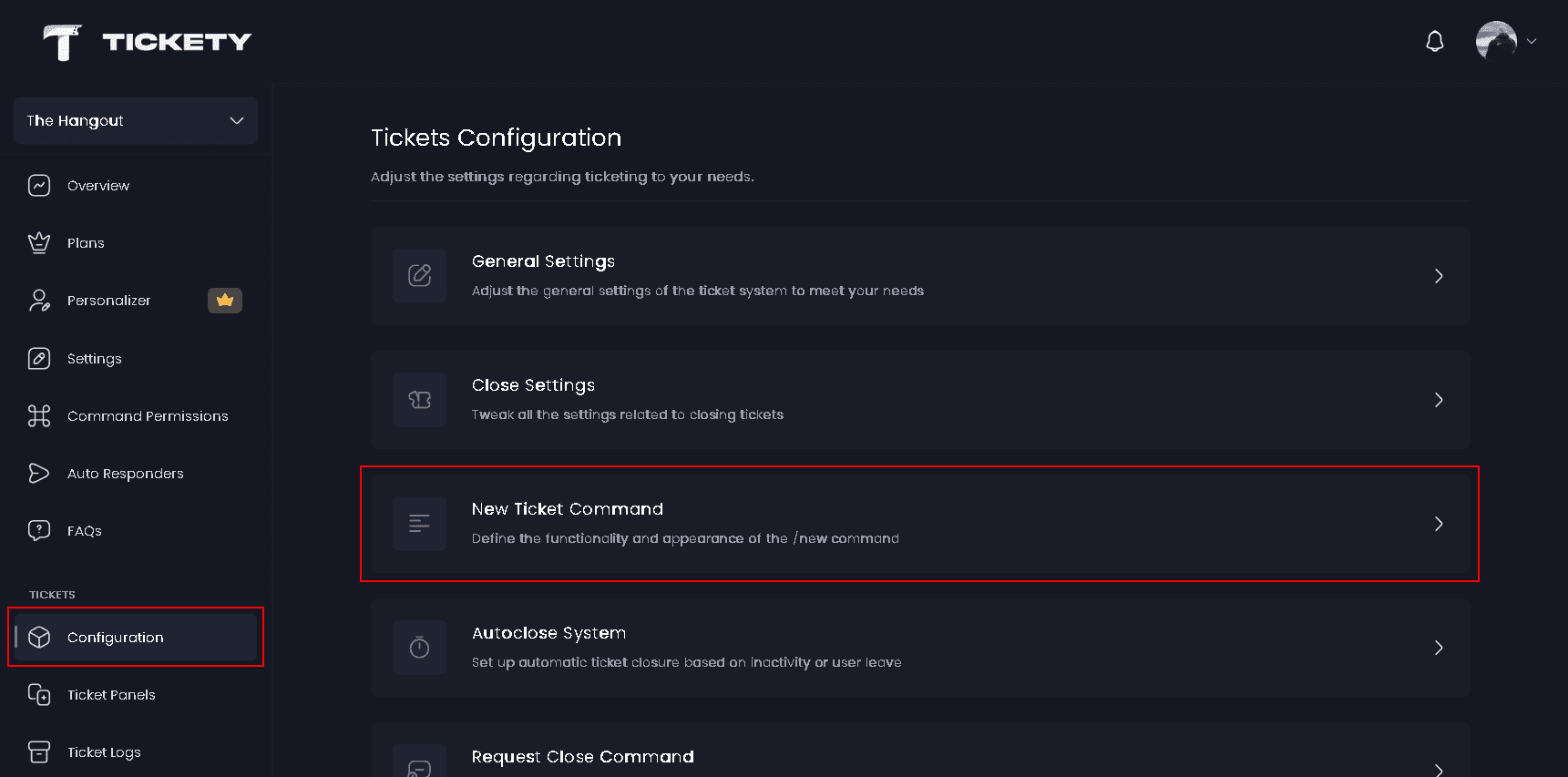
Once logged in, locate and click on the "Configuration" section under Tickets in the sidebar.
-
Select "New Ticket Command" from the configuration options.
Command Settings
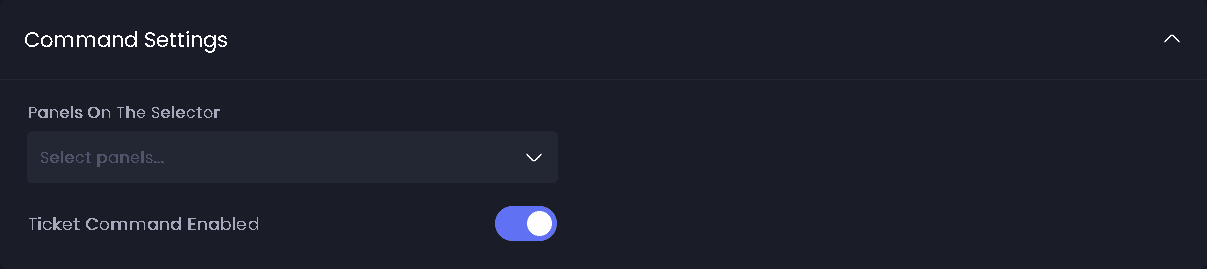
- Panels on the Selector - The panels that appear in the
/newdropdown. Drag them into the order you want members to see. Disabled panels never appear, even when they are selected here. - Ticket Command Enabled - Turns
/newon or off for your whole server.
The dropdown holds 25 panels. If more than 25 panels are selected, a Previous and Next row is added under it so members can page through the rest.
New Ticket Command Embed
The message shown above the panel picker. By default it is titled Ticket Category and asks the member to select the category most relevant to their ticket.
The editor opens with a Message layout choice:
- Embeds - Coloured panels with text and fields. Available on every plan.
- Components 👑 - Text, images and buttons in any order.
In Components layout the panel picker, and the paging row when you have one, share the message's room with your own blocks.
What members see
Picking a panel from the dropdown opens the ticket exactly as clicking the panel message would, so the panel's blacklist, required roles, blocked roles, limits, cooldown and form all still apply.
The grey text inside the dropdown comes from Select Menu Placeholder on General Settings and is premium. Free servers always see Select a category.
| Situation | The member is told |
|---|---|
| Ticket Command Enabled is off | New Command Disabled, The /new command has been disabled for this server. |
| No panels selected, or every selected panel is disabled | No Ticket Panels Available, There are currently no ticket panels available for this server. |
Placeholders
The message is shown before a panel is picked, so it resolves the tokens that do not need a ticket:
{member.mention},{member.displayName}and the rest of the member tokens.{guild.name}and the other server tokens.{panel.name},{panel.emoji},{panel.openTickets}and{panel.supportRoles}.{ticket.number}and the{ticket.creator.*}tokens.{statistics.tickets.open},{statistics.tickets.created}and the rest of your server statistics.{currentTime}.
The full catalogue is on the Placeholders page.
Defaults
| Setting | Default |
|---|---|
| Panels on the Selector | empty |
| Ticket Command Enabled | on |
This feature requires a Premium Subscription.