
Close Ticket Settings
Customize the message sent when a ticket is closed and configure additional close-related settings.
Close Settings decides what happens the moment a ticket closes: the message the creator receives, whether a reason is required, whether a confirmation step appears, and the rating you ask for afterwards. Everything on this page applies to every ticket panel in your server.
Access the Web Dashboard
Open your Tickety Dashboard, then sign in with your Discord account.
Navigate to Close Settings
-
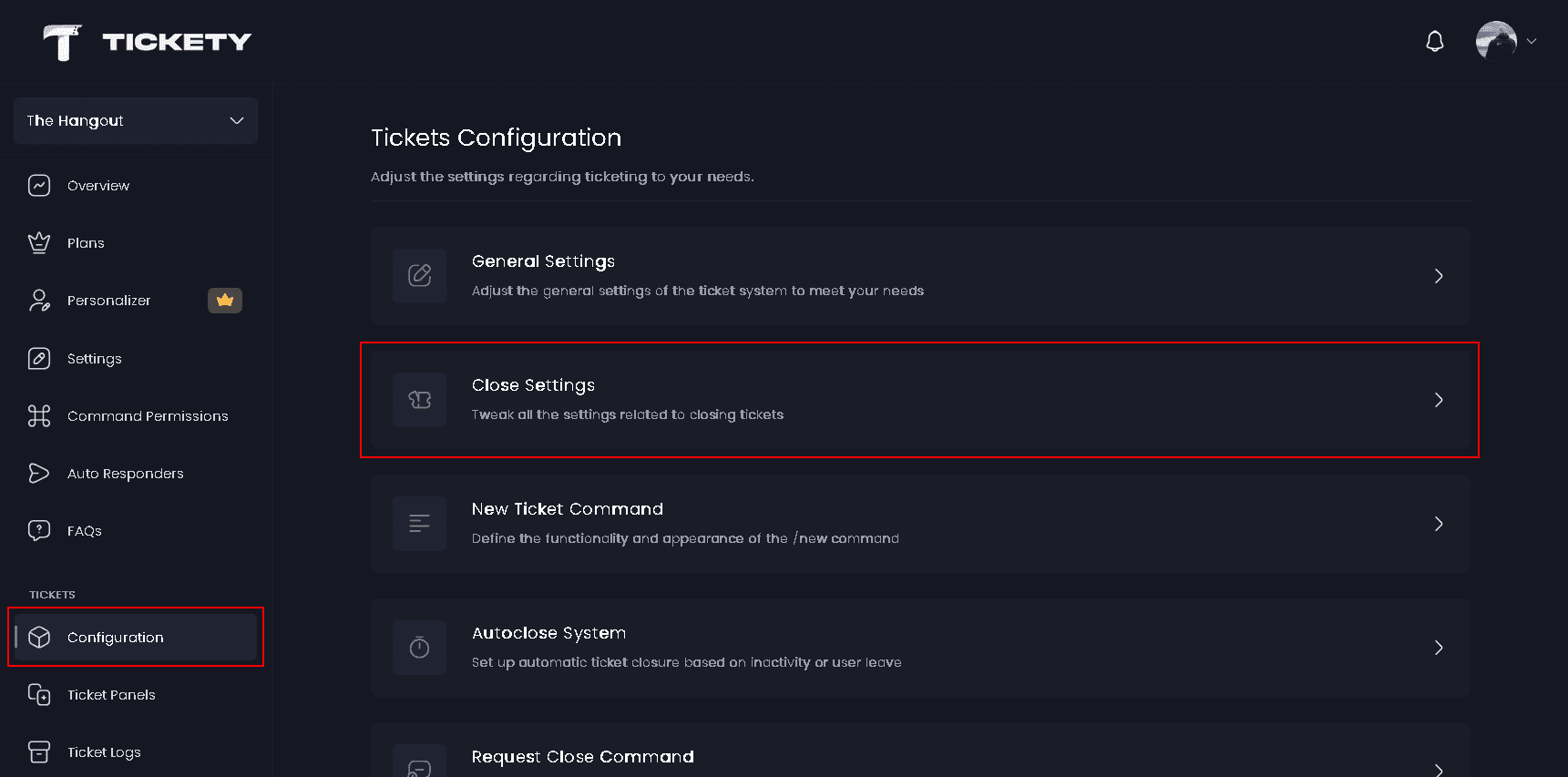
Once logged in, locate and click on the "Configuration" section under Tickets in the sidebar.
-
Select "Close Settings" from the configuration options.
Close Message
Close Embed is the message the ticket creator receives in their direct messages when their ticket closes. Only the creator is sent it, not everyone who was added to the ticket, and nothing arrives if their direct messages are closed.
The editor opens with a Message layout choice:
- Embeds - Coloured panels with text and fields. Available on every plan.
- Components 👑 - Text, images and buttons in any order.
By default the message is titled Ticket Closed and lists the open date, the panel name, the ticket name, who closed it, the close date and the close reason. The {ticket.closer.*}, {ticket.closeReason} and {ticket.closedAt} placeholders are available here alongside the usual panel, member and server tokens.
- DM User on Close - Sends the ticket creator the close message. Turn it off and nothing is sent to them at all.
- Show Transcript Button - Adds a View Transcript link button so the member can read the conversation back.

The transcript button is skipped when no transcript was saved, and when the panel keeps transcripts private and the creator is not one of the people allowed to view them.
What the member gets in their DM
| Button | When it appears |
|---|---|
| View Transcript | Show Transcript Button is on and a transcript was saved the creator may read |
| Rate | The rating system is on and Rating Method is set to Web Rating |
| Five star buttons | The rating system is on and Rating Method is set to Discord Rating |
| View Thread | The ticket was a thread on a panel that archives threads instead of deleting them |
| Vote for Tickety | Your server is on the free plan |
In Components layout these buttons share the message's room with your own blocks, so the more of them you turn on, the fewer blocks you can add.
Close Settings
- Default Close Reason - The reason recorded when a ticket closes without anyone typing one. Up to 100 characters. It is used for the close log, the close message and
/ticket requestclose. - Require Reason to Close - Forces whoever closes a ticket to type a reason first.
- Confirm Close Check - Adds an
Are you sure that you want to close this ticket?step before the ticket closes.
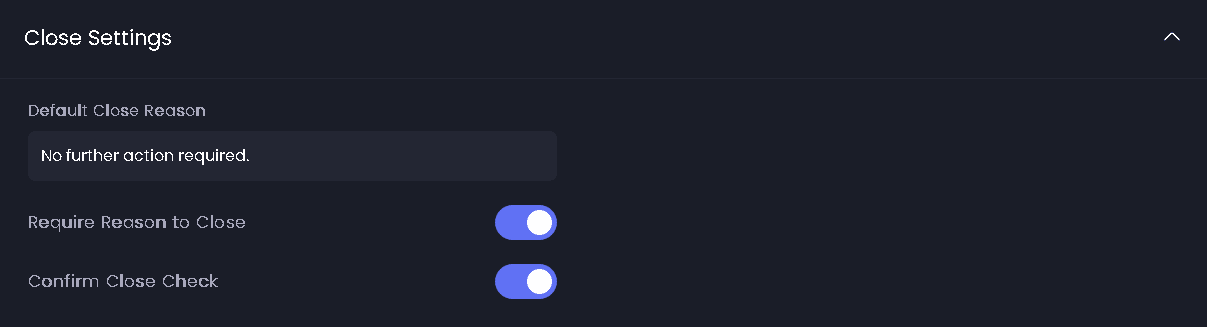
Both of these apply to the Close button on the ticket, not to /ticket close. The command already carries its own reason option, so it closes straight away. With either setting on, the button opens a small form with a Close Reason box that takes up to 200 characters.
Rating System
- Rating System - Asks the ticket creator to rate their experience once the ticket closes. The request rides along with the close message, so DM User on Close has to be on for it to reach the member.
- Rating Method - Where the member leaves the rating.
- Rating Log Channel - The channel that receives a log message every time a rating comes in. Leave it on
Defaultand it follows your server log channel from then on. Only text and announcement channels can be picked.

Rating Method
| Method | What the member sees |
|---|---|
| Web Rating | A Rate link button in the close message that opens a page on the Tickety website |
| Discord Rating 👑 | Five star buttons in the close message. Clicking one opens a short feedback box |
Web Rating is the default. If premium ends, your choice is kept but ratings fall back to the web method until premium returns.
If Rating Log Channel is left on Default and your server has no general log channel, the page warns you that ratings are not logged. Set one under Settings, or pick a channel here.
Rating Embed is the log message posted when a rating arrives. By default it is titled New Rating and carries the ticket details, the close details, the star score and the written feedback. It has the same Message layout choice as the close message.
For what the ratings look like once they are in, see Ticket Ratings.
Defaults
| Setting | Default |
|---|---|
| DM User on Close | on |
| Show Transcript Button | on |
| Default Close Reason | No further action required. |
| Require Reason to Close | off |
| Confirm Close Check | on |
| Rating System | on |
| Rating Method | Web Rating |
| Rating Log Channel | Default |
Limits
| Free | Premium | |
|---|---|---|
| Default Close Reason | 100 characters | 100 characters |
| Close reason typed at close time | 200 characters | 200 characters |
| Components message layout | no | yes |
| Embeds on one message | 2 | 5 |
| Fields per embed | 1 | 25 |
| Author line, thumbnail and large image | stored but not sent | sent |
| Footer icon | the bot's avatar | your own |
| Image upload per embed | no | 12 MB |
| Discord Rating | no | yes |
Who may press the Close button in the first place is set per panel, under the panel's Users Can Close Tickets toggle.
This feature requires a Premium Subscription.