Autoclose Settings
Close tickets automatically when their creator goes quiet or leaves the server.
Autoclose does two separate jobs. It closes a member's tickets when they leave your server, and it closes tickets the ticket opener has stopped replying in. Everything on this page applies to every ticket panel in your server.
Access the Web Dashboard
Open your Tickety Dashboard. Log in using your Discord Account.
Navigate to Autoclose Settings
-
Once logged in, locate and click on the "Configuration" section under Tickets in the sidebar.
-
Select "Autoclose Settings" from the configuration options.

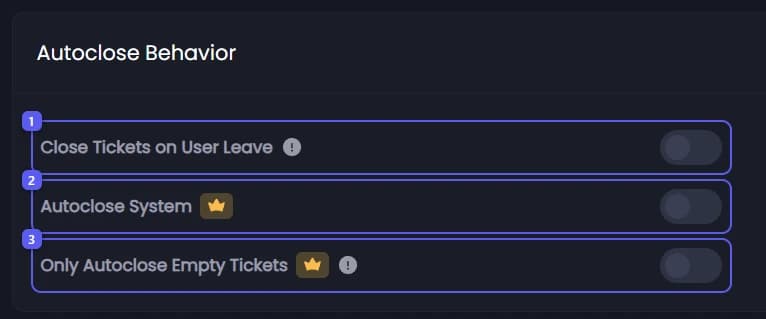
Autoclose Behavior
- Close Tickets on User Leave - Closes a member's open tickets when they leave your server. Only tickets that member created are closed, never ones they were only added to. The close reason reads
This ticket was automatically closed because the ticket creator left the server. - Autoclose System 👑 - Turns on the inactivity countdown that reminds the ticket opener and then closes the ticket.
- Only Autoclose Empty Tickets 👑 - Limits the countdown to tickets the opener has never written in. Once they send their first message, that ticket is never autoclosed.

Close Tickets on User Leave works on every plan. The rest of this page needs premium.
How the countdown works
- Your staff post in a ticket and no countdown is running yet. The countdown starts.
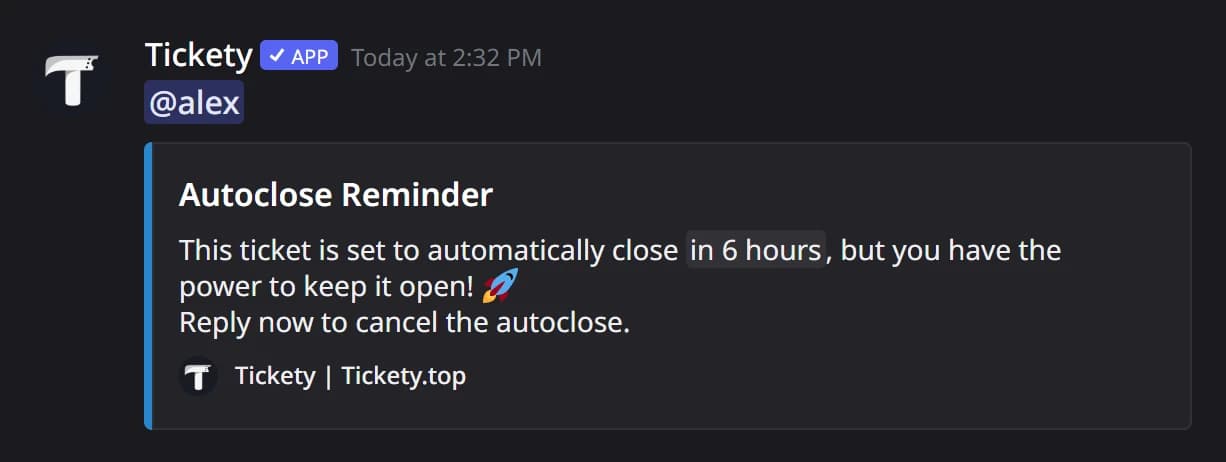
- After Send Reminder Message After, the reminder is posted in the ticket and everyone in the ticket is pinged with it.
- After Delay Between Reminder and Closure, the ticket closes. The reason recorded is
This ticket has been automatically closed due to inactivity.
Any message from the ticket opener, or from anyone else added to the ticket, cancels the countdown immediately and clears the reminder. Tickets that already have an open close request are left alone.
Only Autoclose Empty Tickets is what you want when members open tickets and then disappear before typing anything. With it on, a ticket that has one message from its opener is safe forever, so a real conversation is never closed under someone.
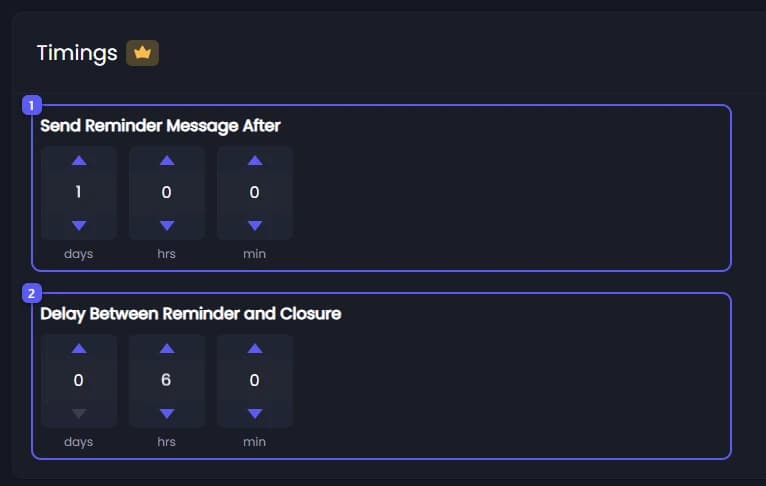
Timings 👑
- Send Reminder Message After 👑 - How long a ticket sits without a reply from the opener before the reminder is posted.
- Delay Between Reminder and Closure 👑 - How long after the reminder the ticket closes if still nobody replies.

Both are set in days, hours and minutes, up to one year each. Setting either one to zero switches autoclose off in practice, because neither half of the countdown can run.
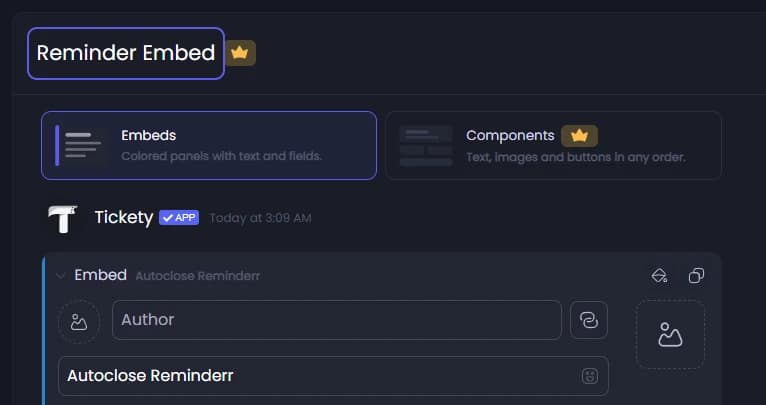
Reminder Embed 👑
The warning posted in the ticket before it closes. By default it is titled Autoclose Reminder and tells the member the ticket is about to close and that replying keeps it open.
The editor opens with a Message layout choice between Embeds and the premium Components layout. Use {remainingTime} in the text to show when the ticket will close, and {supportHours.status}, {supportHours.nextOpen} or {supportHours.closesAt} to explain when your staff are around. The usual panel, member and server placeholders work here too.
Controlling autoclose for one ticket
/ticket autoclose handles a single ticket without touching your server settings. It takes one required action:
| Action | What it does |
|---|---|
Cancel | Stops the countdown currently running on this ticket |
Trigger | Starts a countdown now, using your configured timings |
Toggle | Turns autoclose off for this ticket entirely, or back on |
Your Tickety admin role, the panel's support roles, anyone with Manage Channels and any role you allowed on the ticket command can run it. When it works, a short note naming you is posted in the ticket if the panel logs in the ticket channel, and an entry goes to the ticket log channel.
Autoclose or Inactivity Notifications
The two features watch opposite sides of the same conversation.
| Autoclose | Inactivity Notifications | |
|---|---|---|
| Watches | the ticket opener going quiet | your staff going quiet |
| What it does | reminds, then closes the ticket | alerts your staff |
| Where the message goes | in the ticket | in a staff channel you pick |
| Closes anything | yes | no |
Both can be on at once. They never act on the same ticket at the same time, because a ticket is either waiting on the member or waiting on your staff.
Defaults
| Setting | Default |
|---|---|
| Close Tickets on User Leave | on |
| Autoclose System | off |
| Only Autoclose Empty Tickets | off |
| Send Reminder Message After | 1 day |
| Delay Between Reminder and Closure | 6 hours |
This feature requires a Premium Subscription.