
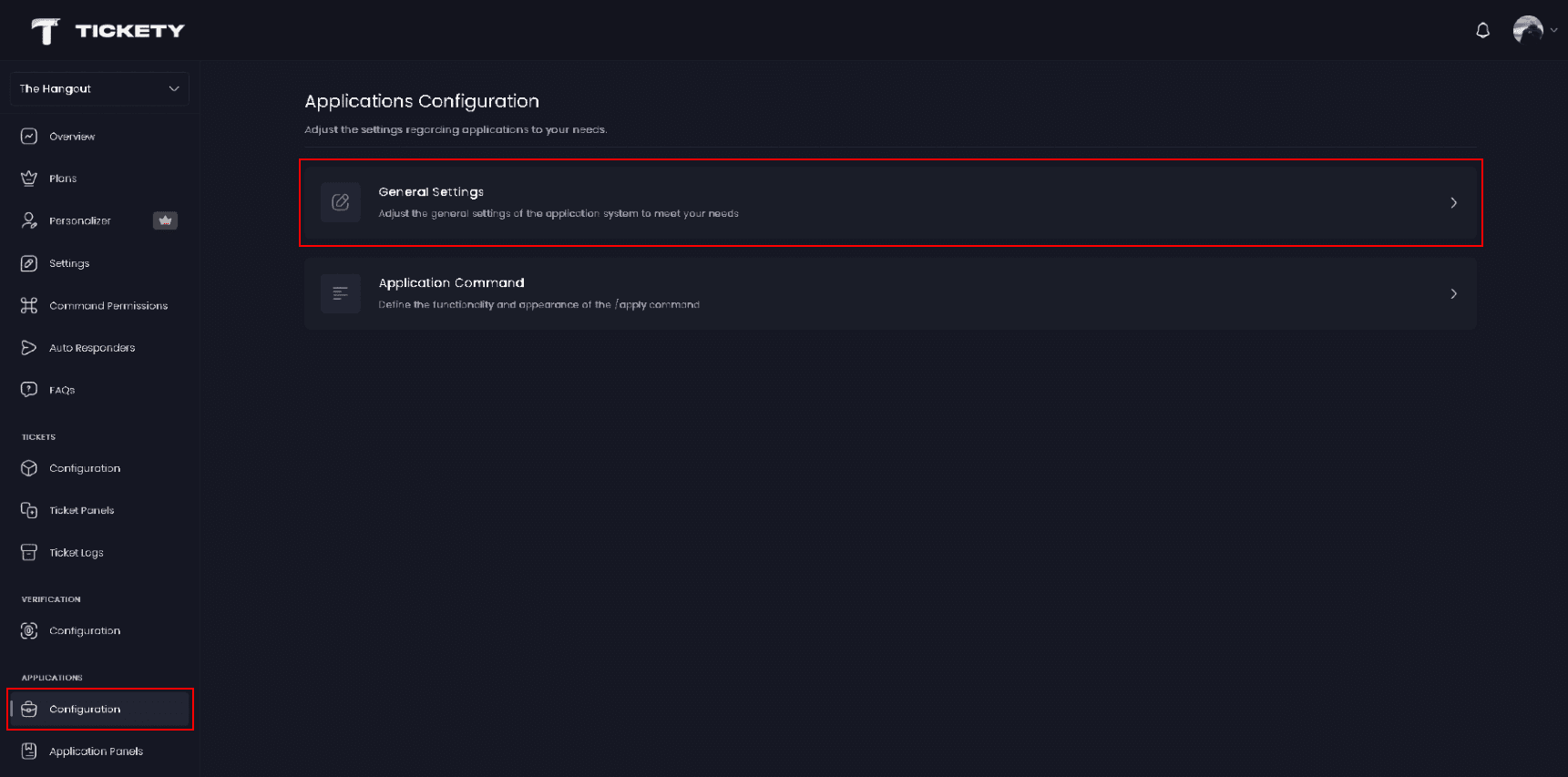
General Settings
Adjust the general settings of the application system to meet your needs.
The General Settings page holds the behaviours that apply to all application panels in your server: the cooldown between application commands, what happens when an applicant leaves, and the reasons sent to applicants when a reviewer does not write one.
The Configuration section has four pages. General Settings is the first of them, and the other three are Application Command, Application Request Command and Inactivity Notifications.
Access the Web Dashboard
Open your Tickety Dashboard. Log in using your Discord Account.
Navigate to General Settings
-
Once logged in, locate and click on the "Configuration" section in the sidebar under the APPLICATIONS category.
-
Select "General Settings" from the configuration options.
Commands Cooldown
Adjust the delay between executing application commands (in seconds).
-
Cooldown Time - How long a member must wait between application commands. Set in seconds, and
0by default, which is no wait at all. This keeps one person from running the commands over and over.
This is not the same as Application Submission Cooldown, which sits on an individual panel and controls how long a member waits before starting another application on that panel. Set that one in the panel editor, covered in Making a Basic Application Panel.
Automatic Actions
-
Deny Applications on User Leave - When enabled, every pending application a member has submitted is denied the moment they leave your server. On by default.

The reason recorded on those applications is This application was automatically cancelled because the applicant left the server. Any role actions you configured for a denial are skipped, since the member is no longer there to receive them.
Turn this off if you review applications from people who come and go, and would rather decide yourself.
Reason Messages
Customize the default reason messages used when accepting or denying applications.
These two are only used when a reviewer accepts or denies without typing a reason of their own. Anything a reviewer writes in the reason box replaces them for that one decision.
-
Default Accept Reason - The reason the applicant is given on an acceptance. Defaults to
Your application meets our needs. -
Default Deny Reason - The reason the applicant is given on a denial. Defaults to
We found that your application did not meet our needs.
Both fields are plain text. Markdown and mentions are turned off in them, so write them as you want the applicant to read them.