
Application Command
Define the functionality and appearance of the /apply command.
/apply lets a member start an application without finding the panel you posted. Running it opens a private reply, visible only to them, with a dropdown of the applications your server is taking. Picking one starts it.
This page controls which panels appear in that dropdown and what the reply looks like. It applies to all application panels in your server.
Access the Web Dashboard
Open your Tickety Dashboard. Log in using your Discord Account.
Navigate to Application Command Settings
-
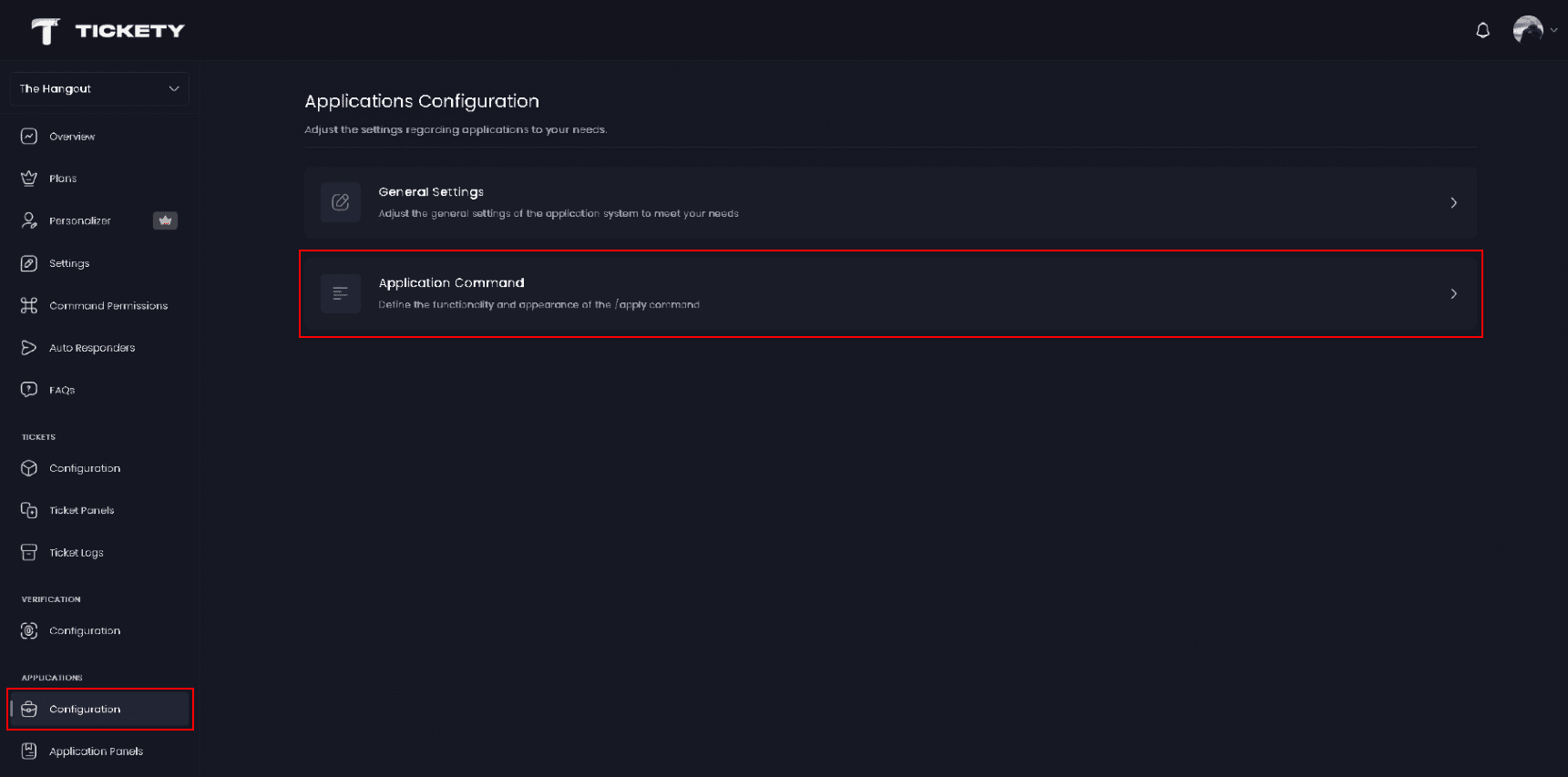
Once logged in, locate and click on the "Configuration" section in the sidebar under the APPLICATIONS category.
-
Select "Application Command" from the configuration options.
Command Settings
-
Listed Applications - The application panels that appear in the dropdown. Empty by default, so you have to add the panels you want members to reach this way. Drag them to set the order they are listed in.
-
Command Enabled - Turns
/applyon or off for your server. On by default.
A panel only shows up when it is listed here and enabled. A panel you switched off with Application Enabled disappears from the dropdown without you having to remove it from this list.
Up to 25 panels are shown at once. Above that, the reply gains Previous and Next buttons to page through the rest.
What members see when it does not work
| Situation | The reply |
|---|---|
| Command Enabled is off | Apply Command Disabled |
| Listed Applications is empty, or every listed panel is disabled | No Application Panels Available |
Application Command Embed
This is the message shown above the panel dropdown. It starts as an embed titled Select an Application with the description Please select the application you wish to apply for.
The editor handles the whole message, not a single embed: you can add several embeds, set the colour, title, description, author, thumbnail, images and footer on each, and reorder them. Any text field accepts placeholders.
The dropdown always rides along under whatever you write, and above 25 panels the paging buttons do too, so a little of the message budget is reserved for them. If you fill the message to the brim, that space is what you lose first.
Components layout 👑
Premium servers can switch this message from embeds to the components layout, which lets you build the reply out of stacked blocks instead of one embed. Discord does not allow embeds on a message using that layout, so the two are a choice, not a combination.
Placeholders you can use
Type these into any text field of the message. The Placeholders page lists everything Tickety understands, and the editor shows you what is available for this message as you type.
| Placeholder | What it becomes |
|---|---|
{member.mention} | The member who ran the command |
{member.displayName} | Their display name in your server |
{guild.name} | Your server name |
{guild.memberCount} | How many members your server has |
{statistics.applications.total} | Every application your server has received |
{statistics.applications.pending} | Applications still waiting on a review |
{currentTime} | The time the reply is sent |
This feature requires a Premium Subscription.